Trust your agreements to the leader
Docusign vs SignNow
The difference between these two platforms comes down to scope and flexibility. While SignNow can handle basic e-signatures, Docusign adds a trusted, end-to-end agreement platform with enterprise-grade security, compliance, and scalability.




Docusign is the clear leader in strategies and capabilities, according to the 2023 IDC Worldwide eSignature Software 2023 Vendor Assessment.
Docusign vs. SignNow
|
| |
|---|---|---|
Compliance (FedRAMP, CSA Star), and Signer Identification • Enhance your agreement security and compliance |
|
|
• Fast and secure notarization provided by a network of certified notaries public |
|
(Partner is required) |
Agreement AI Analytics, AI Data Extractions, and Agreement Generative AI • Save time and work more efficiently with AI |
|
|
Agreement Workflow and Workspaces/Collaborative Hub • Advanced in platform automation for sending and signing workflows |
|
(SignNow is available but must be purchased and used through a separate application) |
AI-Assisted Review |
|
|
Agreement Integrations (1,000+ integrations, 400+ API endpoints). • Connect agreements to the tools you already use |
|
(Limited to ~270 native integrations and third party integrations via Zapier) |
AI-powered agreement repository, including agreement hierarchy and search |
|
|
>400 API endpoints, multiple SDKs, an Apex Toolkit for Salesforce • Connect and build custom agreement experiences |
|
(Fewer than 300 API endpoints) |
Full intelligent agreement management platform, including workflows, AI features, and more |
|
|



Why choose Docusign over SignNow?
- Advanced e-signature capabilities
Docusign can help you with all your e-signature needs, from simple to complex. We offer features like Notary, Web Forms, Agreement Actions, identity verification, signing groups, and FedRAMP authorization .
- Built for your entire agreement workflow
Docusign supports the whole agreement journey, including stages before and after the signature. Create documents, send and sign, and manage and analyze your agreements all on one platform.
- Robust integrations
Automate document workflows across a broad range of tools with 1,000+ pre-built integrations with industry-standard software platforms like Salesforce, Microsoft, and Google. In comparison, SignNow only offers about 270 software integrations.
- Better signer experience
Unlike SignNow, Docusign offers an intuitive signing experience across any device. We offer a robust set of capabilities to make signing seamless, including elastic signing, embedded signing, and more.
“I like that documents can be shared, signed, and finalized in just a few clicks, without the need for printing or scanning. The platform integrates well with other tools like Salesforce and Microsoft, which streamlines workflows.”


A trusted electronic signature solution
Discover how your team can save time and money using the leading electronic signature application.
Go beyond a simple signing tool. Join over 1.8 million Docusign customers who trust us with their entire agreement lifecycle.
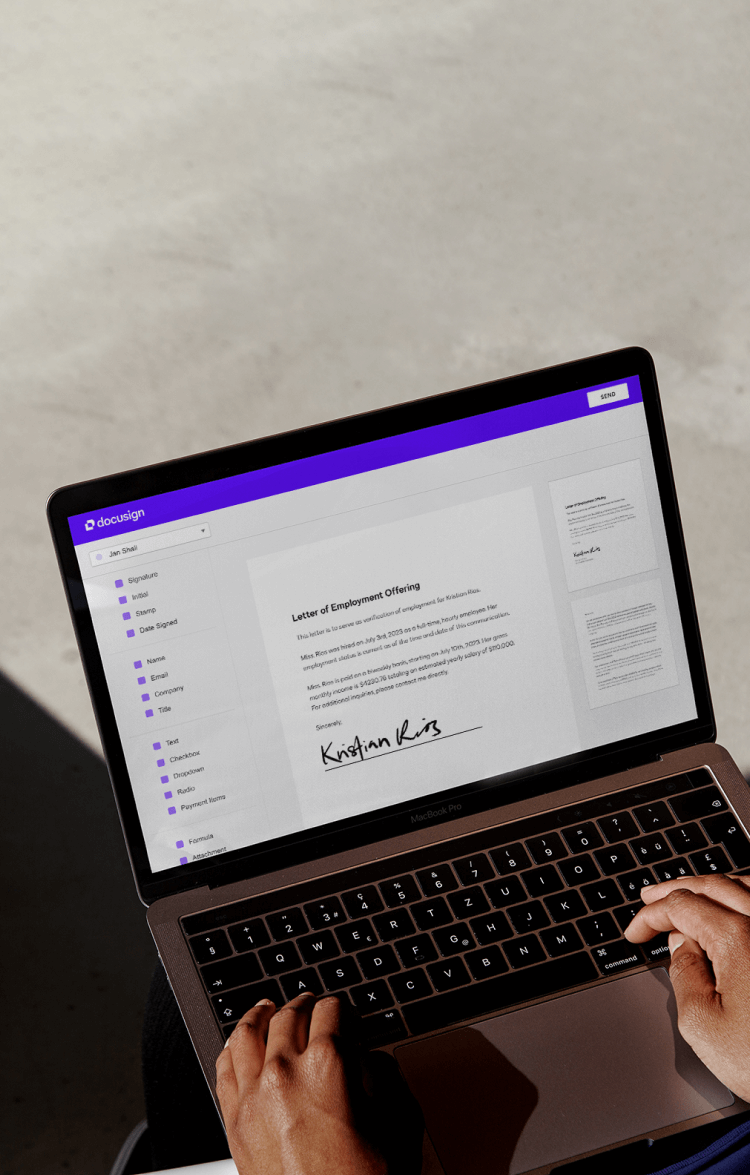
SignNow customers who switched to Docusign say…
Integration limitations
Connecting to specialized or custom systems is often a hurdle with SignNow. Users frequently switch to leverage Docusign’s mature API and library of 1,000+ integrations, ensuring seamless connectivity with the specific tools their businesses rely on.
Superior mobile experience
A frictionless mobile experience is critical for speed. Customers consistently choose Docusign’s intuitive, user-friendly mobile interface, finding it easier to sign documents on the go compared to the limitations often found in other apps.
Enhanced security needs
For mission-critical agreements, relying on basic security is not enough. Businesses choose Docusign for its top-tier security features, particularly the robust, native ID verification that provides greater confidence in every transaction.
Compliance and support gaps
Frustrations with support quality and meeting strict regulations (like CFR compliance) are commonly cited reasons for the switch. Organizations find that Docusign provides the comprehensive compliance standards and enterprise-grade support that growing businesses need.

“Docusign eSignature was the one solution that could meet all of our needs, internally and externally, while giving us the transparency we needed to manage the business.”

Think beyond e-signatures alone. Docusign has been innovating since 2003 to support your entire agreement lifecycle.
Why Customers Choose Docusign eSignature Over Alternatives
Get the guide to evaluate the critical features and benefits that top e-signature providers offer their customers.
Today’s Most Successful Teams Use Docusign eSignature
Learn more about the quantifiable value that customers get from Docusign eSignature.
Docusign vs. SignNow FAQs
Docusign offers a complete Intelligent Agreement Management (IAM) platform, whereas SignNow primarily serves as an e-signature tool. While both can capture electronic signatures, Docusign allows you to create, commit to, and manage agreements across their entire lifecycle.
With Docusign IAM you get to remove friction from your entire agreement workflows—not just the signature step. This gives you access to data usually locked away inside static agreement documentation and makes it easier to extract actionable insights, automate complex routing, and even analyze contract risks.
In contrast, SignNow focuses on basic signing tasks and lacks the deep analytics and lifecycle management capabilities that growing businesses require.
In short, it’s not. Docusign delivers enterprise-grade security, scale, and reliability to businesses of every size. Where SignNow is limited to low-volume, simple agreements, Docusign is designed to handle those types of agreements and scale all the way to complex, high-stakes workflows. All backed by industry-leading reliability and rigorous security certifications, including FedRAMP Moderate Impact Level for eSignature and CLM, which SignNow does not match.
This means Docusign is designed to grow with you. Whether you need 1,000+ pre-built integrations, advanced AI contract analysis, or just reliable ,e-signatures on the go. Docusign provides a future-proof platform that ensures you won't have to switch providers as your business needs evolve.
Docusign eSignature includes the features you need to support and enable your HIPAA compliance requirements. HIPAA governs your internal policies and procedures regarding Protected Health Information (PHI), and Docusign ensures you have the tools to help you deploy solutions and procedures that are secure and compliant.
Docusign offers specific plans with Business Associate Agreements (BAAs) and features that ensure the security of PHI, including:
• Defensible Audit Trails: Unlike wet signatures, Docusign provides a Certificate of Completion with timestamps and IP addresses for every transaction.
• Tamper-Sealing: Documents are digitally sealed using Public Key Infrastructure (PKI) technology to ensure validity.
• Interoperability: Docusign for Healthcare integrates with many Electronic Health Records (EHRs) for seamless patient experiences.More than 1 billion users and over 1.8 million customers trust Docusign with their agreements due to its highly secure encryption standards, rigorous security certifications, and complete digital audit trails. In short, Docusign gives you total confidence in every transaction.
We help you make your agreements smarter and easier, streamlining complex contract workflows in a centralized platform for creating, sending and signing, and managing—so that contracting goes beyond just a signature. Achieve faster time to value and avoid arduous implementation efforts by integrating quickly with APIs and connectors.
Make it easy for anyone to agree, from within the tools and systems they use every day, by delivering a consistent and seamless experience on any device, including smartphones and tablets.
Ready to start working with the leader in agreements?
