
Sign and manage documents from your phone in minutes with the free Docusign mobile app
Get more done on the go with our top-rated app for smartphones and tablets.
The Docusign app is available on iPhone, iPad and Android devices, giving you the power to upload and sign documents from anywhere.
Enter your email address to get a download link for the mobile app sent straight to your inbox.
Download the free Docusign app
Upload and sign documents yourself, send instant reminders and stay up to date on all your agreements with the free Docusign mobile app. Available on both the App Store and Google Play, our top-rated document signing app takes just minutes to set up and lets you start signing with a single tap.
Send and sign documents online with a free online signature
- Streamline processes
Scan and sign documents with your device's camera or upload and sign documents directly from your email.
The app supports multiple formats including PDF, Word and image files, giving you flexibility for almost any agreement.
- Stay informed
Stay up to date on the status of your documents with real-time push notifications. The app alerts you as soon as a document is waiting for your signature or when a signatory completes their part of the agreement.
- Keep things moving
Send a reminder to the next signatory in the agreement workflow with a simple tap.
This reminder feature helps you close agreements faster by prompting signatories when it's their turn to sign. No more waiting around or wondering if your contract is stuck in someone's inbox.
See the Docusign mobile app in action
The Docusign app is easy to use and is trusted by more than 1.8 million customers worldwide. Whether you're closing a deal on-the-go or managing agreements from your desk, the app delivers a seamless signing experience across iPhone, iPad and Android devices.

Sign with ease
Create your e-signature using the tip of your finger, or choose from the pre-created signatures to add your stamp of approval. The app guides you through each signature field, making it simple to complete documents in minutes.
With the Docusign eSignature app, you get a seamless signing experience that keeps your workflow moving forward without interruption.

Sign and return contracts and PDF files
The app supports a wide range of document types, including PDF files, Word documents, image files and more, so you can handle everything from sales contracts and proposals to everyday forms.
Once signed, easily share a copy of the completed agreement with anyone.

Collect signatures with auto-tagging
On mobile, the app automatically places any required fields directly onto the document, eliminating the need to manually tag agreements.
The app detects signature, date and name fields and places them automatically, saving you time and effort on manual setup.
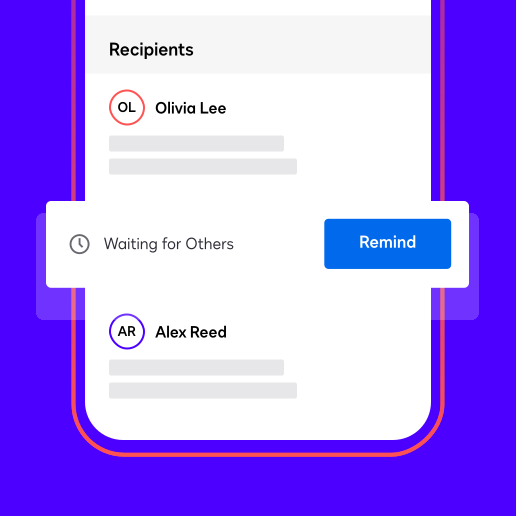
Manage agreements
Check the status of all your documents and agreements on the mobile app by seeing who needs to sign next. View pending, completed and waiting agreements in one centralised dashboard that gives you complete visibility over every document in your workflow.
Send instant reminders with a simple tap to notify the next signatory that it's their turn to complete the agreement.
Easily integrate Docusign into your app with our developer resources
Integrating easy-to-use, secure capabilities with the Mobile SDK gives your customers a frictionless way to complete agreements on the go.
Docusign app FAQs
The Docusign app is the world's #1 way to send, sign and manage agreements from anywhere.
Available on iPhone, iPad and Android devices, this top-rated app makes it easy to complete contracts, sign permission forms and manage all your documents on the go.
All your documents and activities sync across all your devices into one centralised Docusign account, so you can start a signature request on your phone and finish it on your desktop.
The Docusign mobile eSignature app is free to download from the App Store or Google Play. Your subscription works across any device and platform, so you can access all the same features whether you're using the mobile app or logging into your account.
Getting started is simple. Visit the App Store (for iPhone or iPad) or Google Play (for Android devices) and search for "Docusign".
Once you've downloaded the app, you can create a free Docusign account directly within the app or log in with your existing username and password if you already have an account. Current customers will see all their documents and activities instantly sync across devices.
Download the app today to start signing and sending documents in minutes.
Docusign app for iOS
The Docusign app for iPhone and iPad delivers a streamlined mobile experience built specifically for iOS users. The app works seamlessly across both iPhone and iPad devices.
Docusign app for Android
Download the Docusign app from Google Play to access the same powerful features on Android phones and tablets. Whether you're working on a Samsung Galaxy, Google Pixel or any other Android device, you'll find the same easy-to-use interface.
Open the app and choose whether you want to sign a document yourself or send one out for signature. Create your eSignature using your fingertip or choose from pre-created signatures. Once signed, share the completed agreement with anyone, right from the app.
Docusign stands out with industry-leading security, trusted by millions worldwide.
The app consistently earns nearly 5 out of 5 stars on both the Apple App Store and Google Play Store. Unlike many alternatives, Docusign offers seamless cross-platform support, so your subscription and documents work identically on mobile and web.
The app also includes advanced features like automatic field detection, real-time push notifications and centralised agreement management.
For a detailed breakdown of how Docusign stacks up against other eSignature solutions, see our Docusign vs. alternatives comparison.
On iPhone or iPad, press and hold the Docusign app icon on your Home Screen until the apps start to jiggle, then tap the Remove icon in the upper-left corner and select Delete App to confirm. On Android devices, go to Settings, then Apps, find Docusign in the list and tap Uninstall. Alternatively, press and hold the app icon on your home screen and drag it to Uninstall. Deleting the app from your device does not delete your Docusign account or any of your documents, which remain securely stored in your centralised account and accessible from any device where you log in.
Yes, download the Docusign mobile app and log in with the same username and password used when logging in from the web. All your documents and activities will sync across all your devices into one centralised Docusign account.
Yes, you can download the mobile app and create a free Docusign account directly within the app to get started.
Yes, the Docusign mobile eSignature app is free to download.