Electronic Signature
How does Docusign work?
Electronic signing made simple
1. Send
Easily upload and send documents for electronic signature
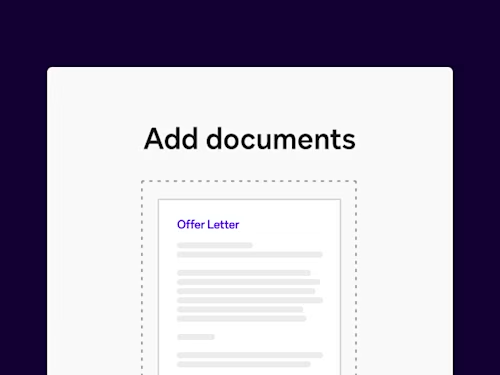 Upload your document
Simply upload a Microsoft Word, PDF, or other common document format from your computer or from popular file-sharing sites like Box, Dropbox, Google Drive, and OneDrive.
 Indicate who needs to sign
Add the names and email addresses of your signers and other recipients, and even specify the order in which they should sign.
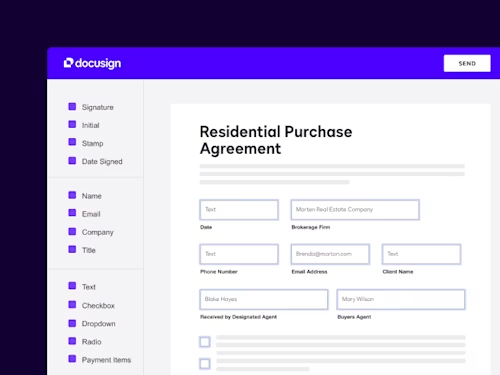 Place fields and send
Drag and drop Docusign fields to indicate where you need a signature, initial, or date. You can also add standard or custom fields for signers to fill in. Then click Send. Docusign emails a link to each recipient which they can use to access the document. Once the document is complete, it’s stored securely for easy retrieval.


2. Sign
Quickly access and sign documents that require your signature
 Click the link in email
With one click, you can access the document and start the document signing process on virtually any internet-enabled device.
 Follow the Docusign tabs
Tabs and simple instructions guide you through the signing process. Your electronic signatures are secure, legally binding, and widely accepted for most business transactions around the world.
 Finish, and you’re done
Once you’re done signing, click Finish. That's it!


3. Manage
Readily check a document's status, send reminders, view audit trails, and securely store online
 Always know your document’s status
Just pull up your Docusign dashboard to check status and schedule, run reports, and see audit trails. You can always see where your document is in the signing process-and even set automatic reminders and receive notifications at every step of the process.
 Documents are saved automatically—and securely
Once completed, both senders and signers have 24/7 anytime, anywhere access to the document. It’s stored online and can be downloaded and printed as needed.
 Easy to administer
You can manage internal users, adjust branding, and get visibility into documents across your organisation. Advanced options help you adhere to and set compliance policies, as well as access advanced reporting.


Ready to bring the power of Data Verification to your agreements?
